
Welcome to C&C emergency accommodation!
We want your stay to be safe and comfortable.
Your address:
Flat 1
37 Overnhill Road, Bristol, BS16 5DS
This pack explains:
- Access & Security
- Fire safety
- Laundry Facilities
- Waste & Recycling
- Heating, hot water & appliances
- Property layout & safety
- Parking
- Wi-Fi / Internet
- Local area information
- Pest control
- Privacy & data use
- Body-worn cameras
- House Rules
- Visitors rules
- How to report the faults
- Complaints Procedure
- Safeguarding
- Leaving the accommodation
- Support & contact
If you need help understanding anything, please ask a member of staff.
Access & Security
Door entry system
The building has one main door. It has a coded door lock installed, the code should've been provided to you. If this isn't the case, please get in touch with out staff member or the head office. Please make sure that you close the door tight when you enter or leave the building.
Your flat has its own key - you will find it inside. On your arrival, the room will be unlocked. Please be careful with the key, as it's replacement can take some time to be cut and costs £5. When you leave the flat, please lock the door with your key to keep your belongings safe.
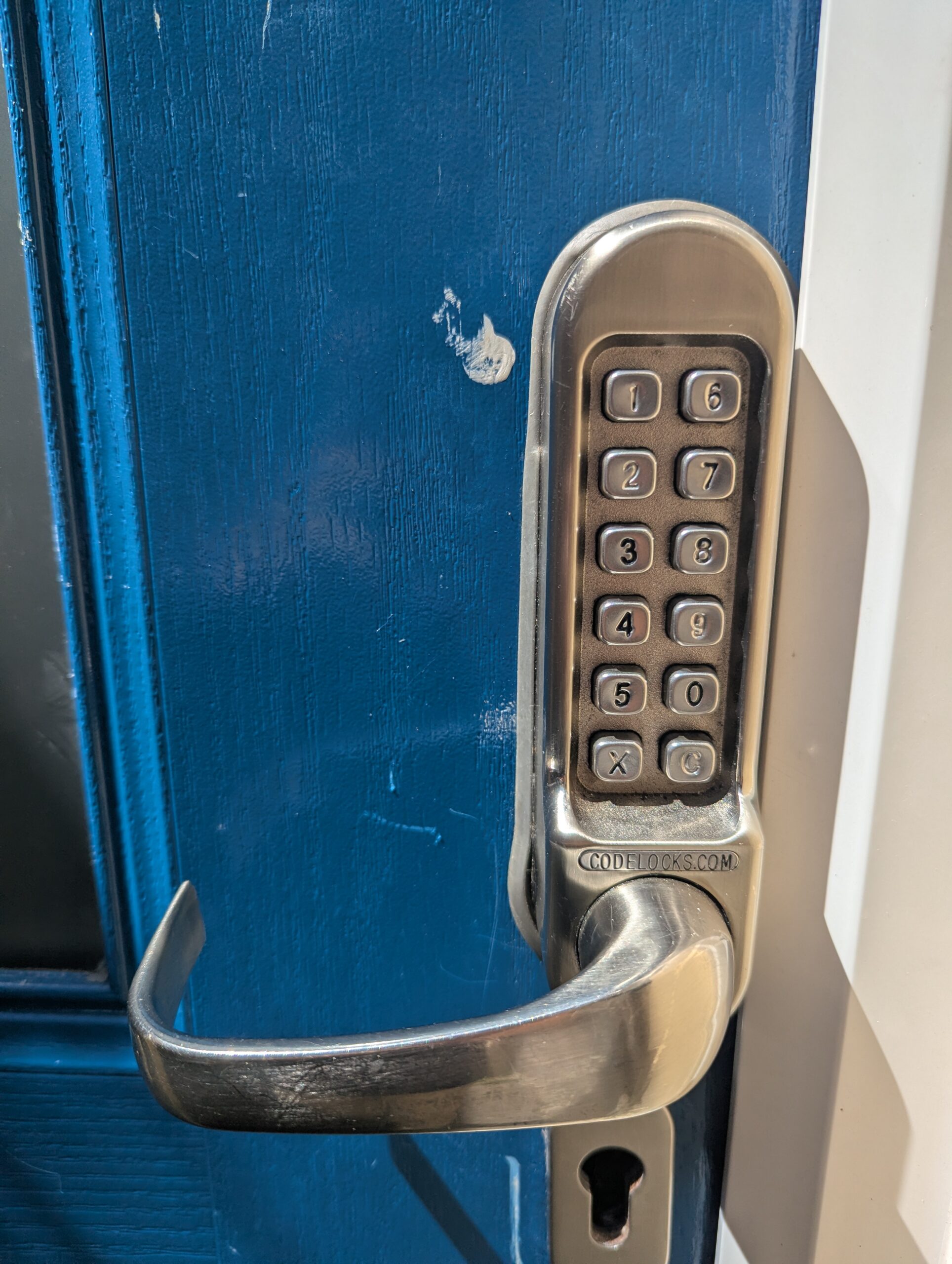


Location of the main entrance


Fire safety
Location of fire exits
The building has one entrance, which is the fire exit as well. If you hear a siren - leave the building as soon as possible and proceed to the assembly point.

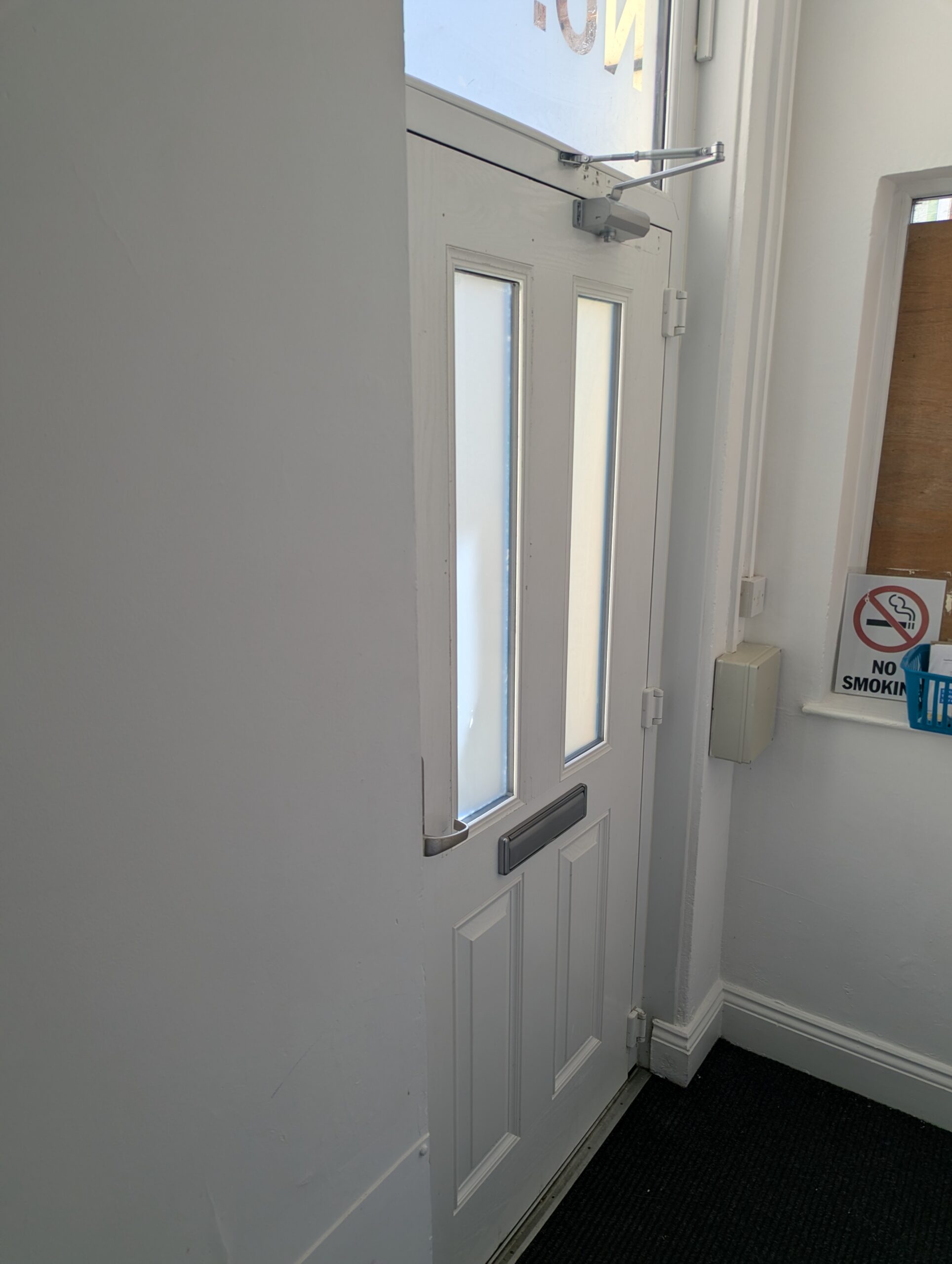
Location of assembly point / fire evacuation route
When the fire alarm activates, please leave the building quickly. The assembly point is on the Overnhill Road sidewalk. Please see the video below.
Fire alarm test time
Tuesdays, 11:30
Other fire safety information
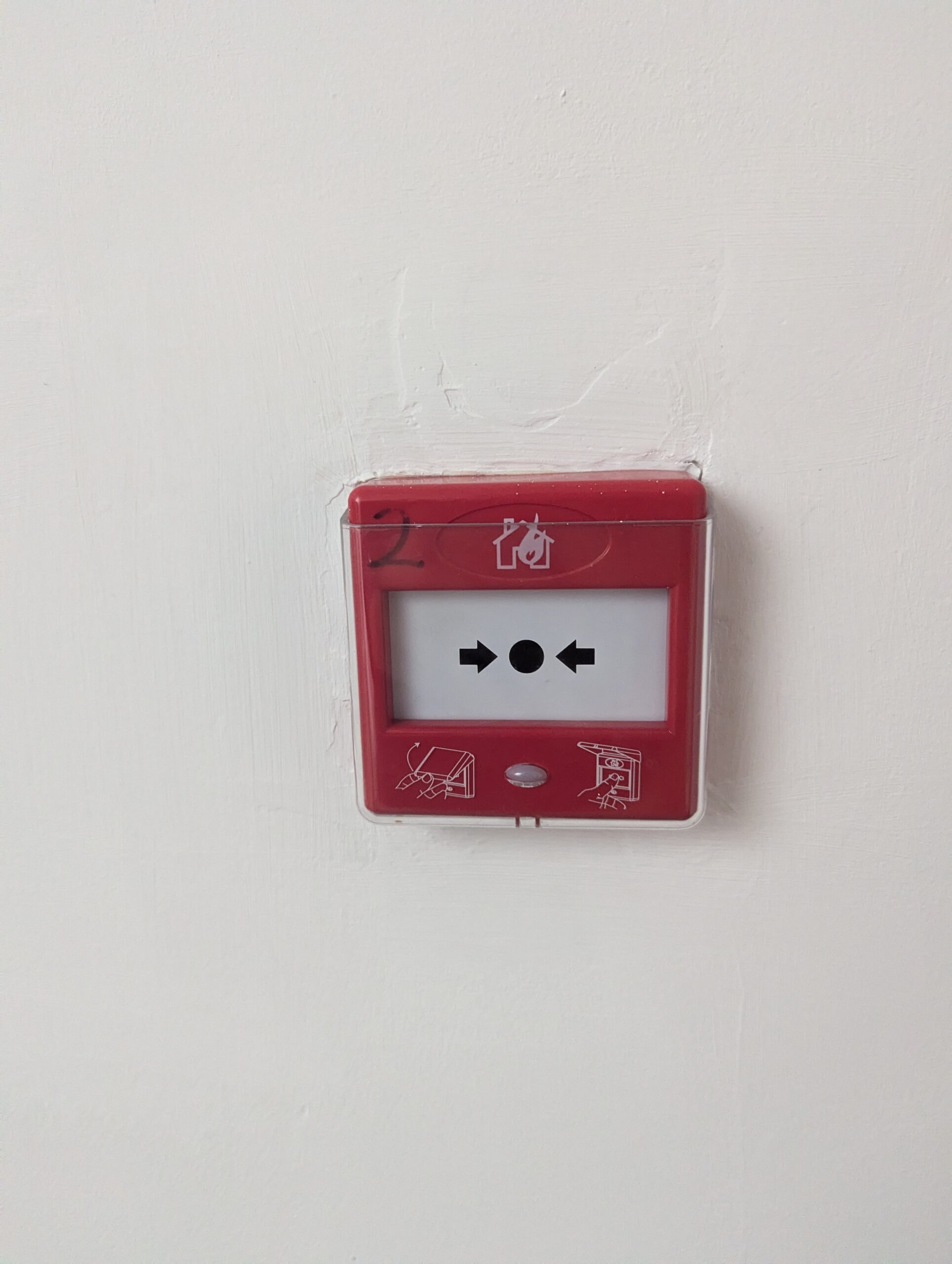
If you see fire, please press any fire alarm activation button. You can find the buttons on every floor.

Waste & Recycling
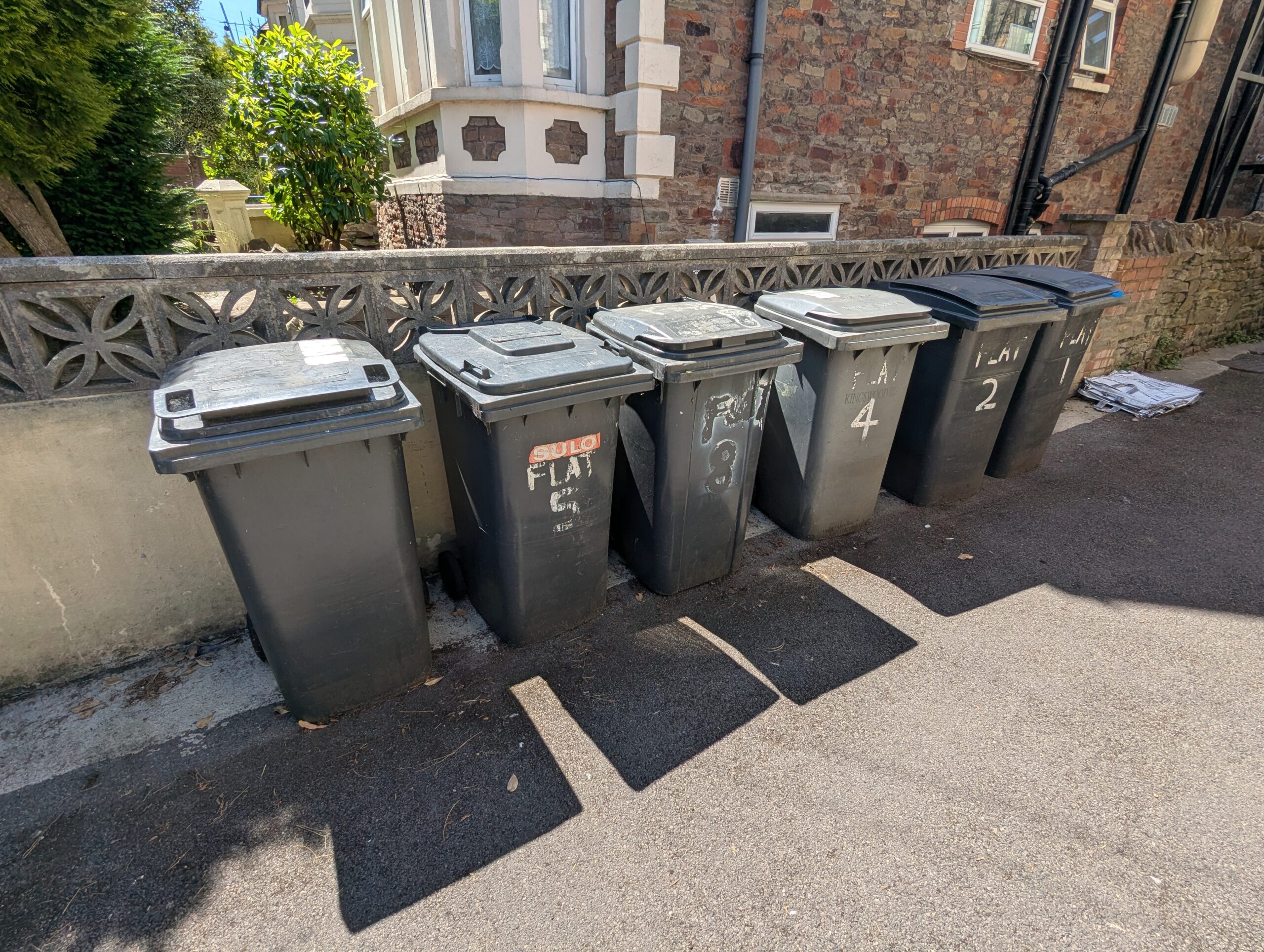
In this property, Bristol City Council recycling system applies:
South Gloucestershire recycling system:
- Green box - plastics, cans, foil
- Blue bag - paper & card
- Glass box - bottles & jars
- Food bin - all food waste
- Black bin - general waste
Remember to squash your rubbish to reduce the bin storage consumption.
If unsure - put it in general waste or ask staff.
Food waste and recycling bins are collected every week on Tuesdays.
Black bins are collected once every two weeks, on Tuesday.
You can check the exact collection dates on the following website:
- https://www.bristol.gov.uk/residents/bins-and-recycling/bins-and-recycling-collection-dates
- https://apps.southglos.gov.uk/forms/waste-and-recycling-collection-dates

Appliances
How to use the oven
We install different ovens in our properties, you can see video guides for some of them below. Please turn the switch on before using oven controls - the switch is usually located above kitchen worktop close to a hob and an extractor fan. Left selector knob usually sets which sides emit heat. Right selector knob usually sets the temperature.
How to use the hob
We install different hobs in our properties, you can see video guides for some of them below. Please turn the switch on before using oven controls - the switch is usually located above kitchen worktop close to a hob and an extractor fan. After turning on the switch, press the power button. After pressing the power button, use +, - (or <, >) buttons to control the power on every cooking surface.
After using the hob, please turn it off using the power button on it and the switch on the wall for your safety.
How to use the extractor fan
We install different extractor fans in our properties, you can see video guides for some of them below. Depending on the model, you may have sliding power switches from 0 to 3, where larger number represents a greater suction power. You can also have a model with on/off button and separate buttons for power selection.
How to use the microwave
We install different microwave ovens in our properties, you can see a general video guide below.
Put the food inside the microwave oven. Remove any metal objects (such as foil, spoons, knifes, forks etc.) from the microwave oven to avoid damage.
Close the door.
Press "START/+30sec." to start the timer. Every consecutive press increments the timer by 30 seconds.
Press "STOP/Cancel" to stop the timer. A second press resets the timer.
How to use the washing machine
We install different washing machines in our properties, you can see video guides for some of them below.
Load the laundry detergent in the leftmost compartment.
Use the wheel to select an operating mode. We suggest "QUICK" and "DAILY WASH".
Press ⏯ (START / PAUSE on some models) button to start the program.
How to use a tumble dryer
We install different tumble dryers in our properties, you can find some general video guides below:
Property Layout & Safety
Any known hazards
Hazard 1 - there is a step in the corridor near the building entrance.

Hazard 2 - low ceiling above stairs when walking to the top floor. Mind your head.


Parking
The parking is available on a first-come-first-served basis. Residents can park on the road near the property. Permits are not required to park there.


Wi-Fi / Internet
Free Wi-Fi is available in the building. You can find the password on the notice board.
You can only use Wi-Fi for checking emails and making offers on HomeChoice. You mustn't use Wi-Fi for video streaming (e.g. Netflix, YouTube, Amazon Video) or gaming. You can use mobile dongles to use the Internet for any other purposes.
Local area information
Nearest bus stops
Hurstwood Road - serves buses 47, 47x, 48, 48x.
Thicket Road - serves buses 17, 18, 49, 49x, SB2.
Pendennis Road - serves buses 17, 18, 49, 49x, SB2.
Nearest GP surgery
The Downend Health Group
Christchurch Family Medical Centre, North Street, Downend, Bristol, Avon, BS16 5SG
Phone: 0117 970 9500
More details
Nearest pharmacy
Well Pharmacy
7 Badminton Rd, Downend, Bristol BS16 6BB
Phone: 0117 956 1988
Get directions
Nearest supermarket
Morrisons Daily
32 Lanaway Rd, Oldbury Ct Rd, Bristol BS16 2NN
Phone: 0330 053 5689
Get directions
Warning procedures
Breaches of rules may lead to:
- Verbal warning
- Written warning
- Final warning
- Immediate discharge (for serious or zero-tolerance breaches)
- The booking agency is informed of all warnings
Visitor rules
Visitors are allowed during the day time.
For a night stay, a staff member's approval is required.
How to report faults
Please report any issues by contacting any C&C staff member or using the link below:
https://connollyandcallaghan.co.uk/report-accommodation-issues
Complaints procedure
If something is wrong:
Speak to staff first - most issues can be resolved quickly.
If unresolved, ask to make a formal complaint by emailing operations@connollyandcallaghan.co.uk . Management will respond within 5 working days. You won't be treated unfairly for making a complaint.
Safeguarding
We have a duty to protect:
- Children
- Vulnerable adults
- Anyone at risk of harm
If you are worried about your safety or someone else's, tell staff immediately.
We may need to share information with social services or the police to keep people safe.
Leaving the accommodation
When you leave:
- Take all belongings.
- Leave keys/fobs inside the flat.
Large items left behind will be disposed of immediately. Small items are stored for 7 days.
Support & contact
If you need help, please speak to staff.
Maintenance / General issues: 01179110484 + extension number for your cluster or fill the form instead.
Out of hours number and arrangement (24/7 staffing, choose option 1 for help after 6pm weekdays or on weekends).
Check the noticeboard to confirm which cluster your property is in.
Operations team: operations@connollyandcallaghan.co.uk